Automated Client & Ops Reports
A proof-of-service recap goes to each client, and a standing ops digest goes to you — both on a schedule you set, with no one compiling anything by hand.
14-day free trial · Cancel anytime
What are automated reports?
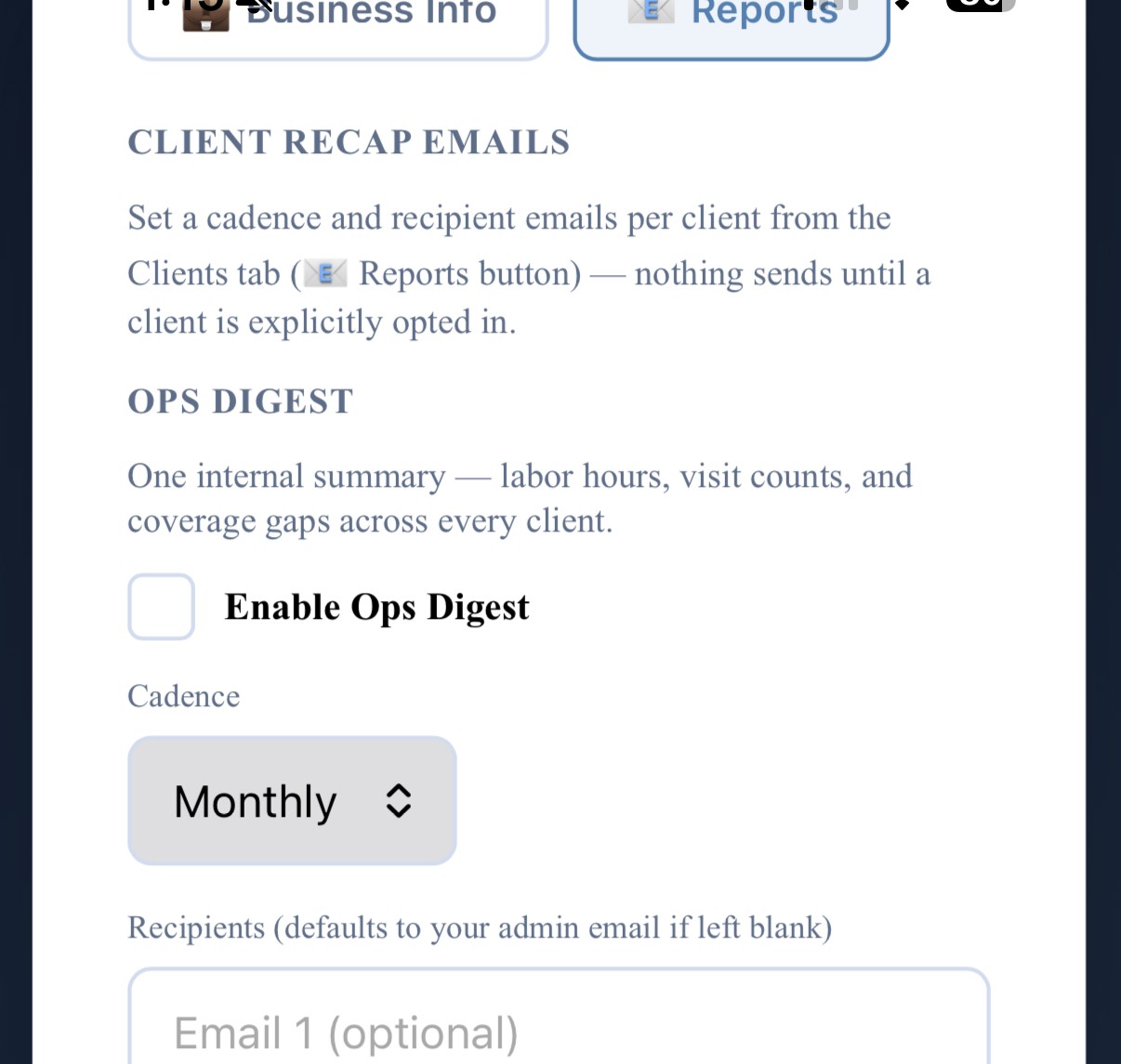
CustodialView can send two kinds of reports on a schedule you choose, without anyone having to write them by hand. A Client Recap goes out to a client with the visits completed, the areas serviced, and photo highlights from recent work — proof of service, not a promise. An Ops Digest goes to the business owner with labor hours by team member, visit counts per client, and any areas that went undocumented. Both are off until you turn them on.
Pick a cadence
Daily, weekly, biweekly, monthly, quarterly, or annual — set per client for recaps, and once for the ops digest.
Send a test first
A test-send button confirms exactly what a client or the owner will see before anything goes out for real.
It runs itself from there
Once enabled, reports go out automatically on that cadence — nothing to remember to compile or send.
Why it matters
Clients rarely ask to see proof of service — they just quietly wonder about it. A recap that shows up on its own, with real photos and a visit count, answers the question before it's asked, which is usually a stronger renewal signal than any sales conversation.
On the ops side, most owners find out about a coverage gap or a labor-hours surprise only when a client complains or a payroll number looks off. A standing digest surfaces both on a schedule, before either becomes a problem.
Common questions about automated reports
Do clients get billed extra for the recap emails?
No, scheduled reports are included in every CustodialView plan at no extra cost.
Can I turn reports on for one client but not others?
Yes, cadence and recipients are set per client, so you can enable a weekly recap for one client and leave another off entirely.
What does the ops digest actually include?
Labor hours by team member, visit counts per client, any areas that went undocumented, and overall checklist compliance — sent to the business owner, not clients.
Give your clients the portal your company deserves.
No developer, no long onboarding, no waiting. Sign up today and your portal is live before your next job.
14-day free trial · Cancel anytime