Photo-Verified Time Clock for Janitorial Crews
Crews clock in and out with a photo, right from the job site — then get guided straight to the day's checklist. No shared badge, no honor system.
14-day free trial · Cancel anytime
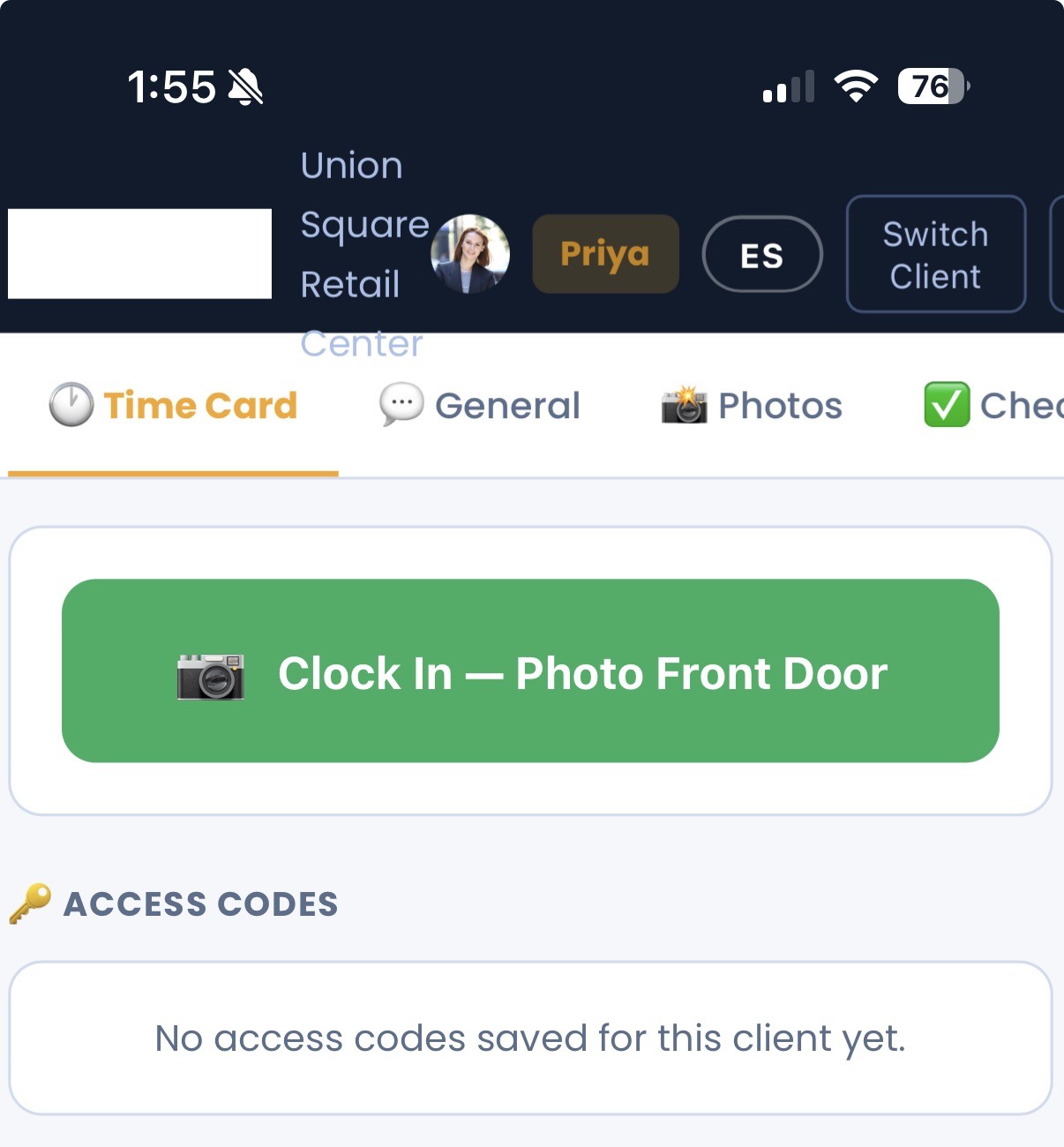
What is a photo-verified time clock?
A photo-verified time clock requires a crew member to take a photo when they clock in and clock out, creating a timestamped record tied to a specific person confirming they were physically on-site, rather than relying on a shared badge or an honor-system time entry.
Clock in with a photo
A crew member takes a photo when they arrive on-site, timestamped and tied to their account.
Guided to the checklist
After clocking in, the crew is taken straight to that day's checklist for the site — no separate app or list to find.
Clock out with a photo
Leaving the site works the same way, creating a complete, verifiable record of the visit.
Why it matters
A shared time clock or paper sign-in sheet works when everyone knows each other personally. It stops working once there are multiple crews across multiple sites, because there's no way to confirm who was actually where. A photo tied to a timestamp and a specific person closes that gap.
It also protects crews who do the work correctly and on time — a documented on-time arrival is a much stronger answer to a client's question than “the crew says they were there.”
Your alarm system isn't a time clock
Property owners often have only one source of "time data" on their vendor: a security system's arm/disarm log. It wasn't built to track labor, and it shows. One vendor's team finished a full 90-minute service, but because the alarm was already off when they arrived, the system only logged the 15 minutes between re-arming and leaving. The building was spotless — the data said otherwise, and the owner nearly cut service over it.
CustodialView replaces the guesswork with photo-verified, individually-logged check-ins — so the record matches the reality, every time.
Common questions about photo-verified time clock
Does the photo requirement slow crews down?
It's built into the normal clock-in flow — crews take a photo the same moment they'd otherwise just tap a button, then go straight into the day's checklist.
Is the photo-verified time clock a paid add-on?
No, it's included in every CustodialView plan.
What stops someone from clocking in for a coworker?
Each clock-in is tied to an individual login and requires a photo taken at that moment, which a shared badge or code can't replicate.
Give your clients the portal your company deserves.
No developer, no long onboarding, no waiting. Sign up today and your portal is live before your next job.
14-day free trial · Cancel anytime