QR Codes for Instant Area Access in Large Buildings
Generate a QR code for every area of a building. Scan it, and you're taken straight to that area — no manual navigation needed.
14-day free trial · Cancel anytime
What is QR code area access?
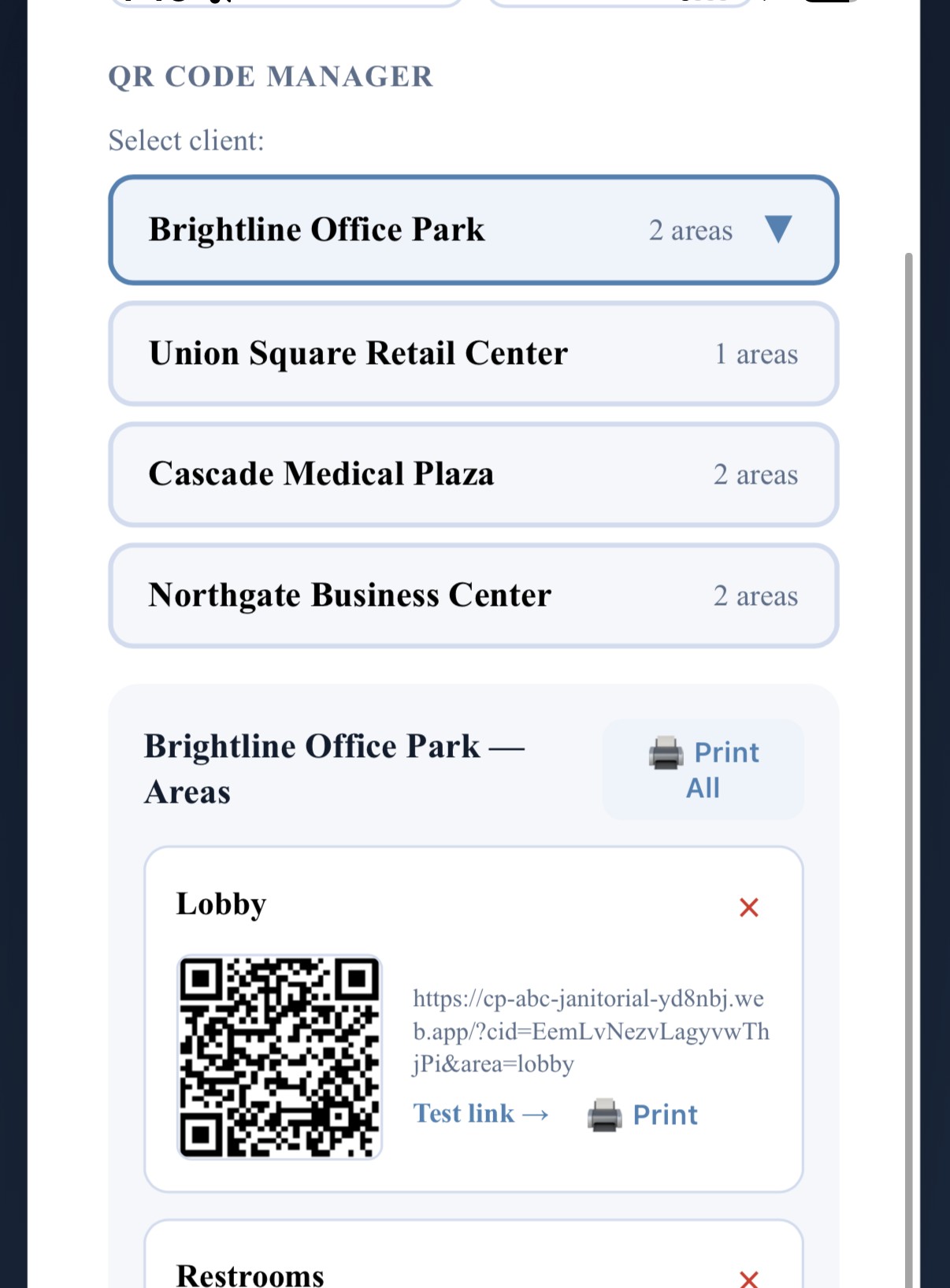
QR code area access means CustodialView generates a unique, scannable QR code for each area of a client site — like a lobby, restroom, or a specific floor — so a crew member can scan the code posted at that location and go directly to the right checklist, instead of manually selecting the client and area from a list.
Add an area
In Admin Setup, add an area to a client site — like Lobby or Restrooms — and CustodialView generates a unique QR code for it automatically.
Post it at that location
Print or display the QR code at the physical area it represents, so it's there whenever a crew member arrives.
Scan and go
Scanning the code takes the crew straight to that specific area — a test link is included so you can confirm it works before printing.
Why it matters
Manually selecting the right client and area from a list gets slower and more error-prone as a building grows — a facility with a dozen distinct areas is a very different experience than one with two. A QR code posted at each location removes that navigation step entirely.
This matters most in larger buildings, where crews move between many different areas — lobbies, restrooms, individual floors or suites — and picking the wrong one from a list means logging work against the wrong part of the site.
Codes get lost or damaged in the real world — torn off a door, faded, or simply missing. When that happens, a crew member can open their Photos tab and pick the area directly, so a damaged code never blocks a visit from getting documented.
Common questions about qr code area access
How many QR codes can I generate per client?
One per area — add as many areas as a client site actually has from Admin Setup, and each gets its own code.
Can I test a QR code before printing it?
Yes, every generated code includes a test link so you can confirm it opens the right area before it's posted.
Is QR code access a paid add-on?
No, it's included in every CustodialView plan.
What if a QR code is missing or damaged?
A team member can pick the area manually from their Photos tab in the app instead of scanning — no need to wait for a replacement code before documenting the visit.
Give your clients the portal your company deserves.
No developer, no long onboarding, no waiting. Sign up today and your portal is live before your next job.
14-day free trial · Cancel anytime