Your Own Branded Portal URL, Not a Shared Dashboard
Not a shared dashboard buried inside someone else's app. Your portal lives at your own address.
14-day free trial · Cancel anytime
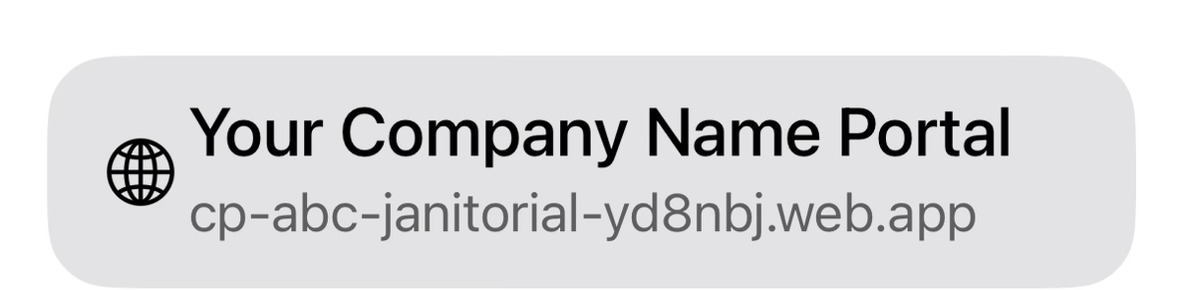
What is a dedicated portal URL?
A dedicated portal URL means a cleaning company's CustodialView client portal lives at its own web address, rather than being accessed as one account inside a shared, generic third-party dashboard.
Your portal gets its own address
Clients and crew go to a URL that's specifically yours, not a generic login page shared across many companies.
Share it directly
Send clients and new crew members straight to your portal address — no separate company code to enter first.
It stays consistent
Your portal address doesn't change as you add clients, crew, or features.
Why it matters
A client portal buried inside a shared, generic dashboard makes a cleaning company feel like a small account inside someone else's product. A dedicated URL makes the portal feel like part of your business, because it's specifically yours.
It also simplifies onboarding — there's one address to share with a new client or crew member, rather than a shared login page plus a company code to find and enter correctly.
Common questions about your own branded url
Is the portal URL customizable?
Your CustodialView portal lives at its own dedicated address, separate from a shared company dashboard.
Does having my own URL cost extra?
No, it's included in every CustodialView plan.
Can I share my portal URL directly with clients?
Yes, that's the point — clients and crew go straight to your portal address.
Give your clients the portal your company deserves.
No developer, no long onboarding, no waiting. Sign up today and your portal is live before your next job.
14-day free trial · Cancel anytime